

Comparative Analysis of Physical Computing Devices as Learning Tools in K-12 and Higher Education
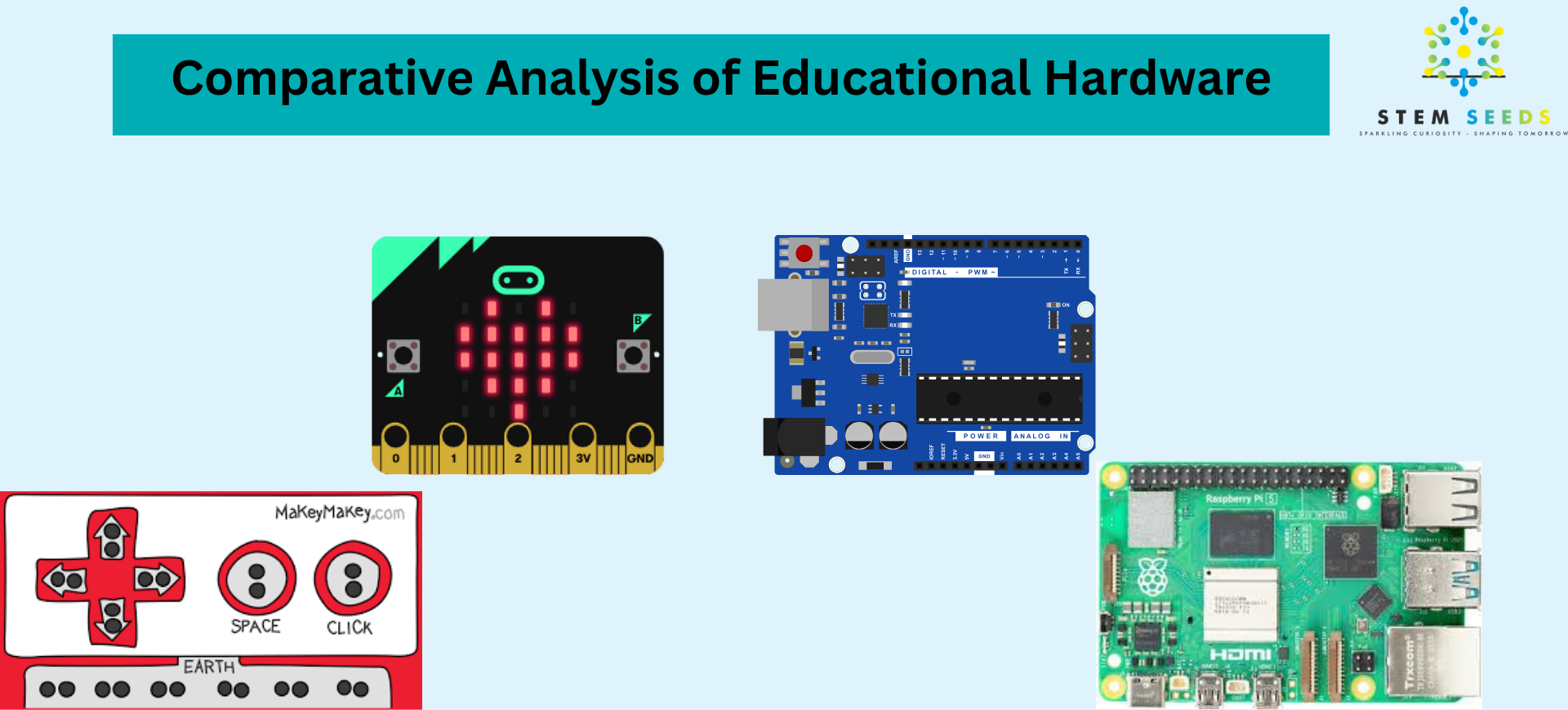
Popular Physical Computing devices in K-12
Physical computing devices such as Makey Makey, micro:bit, Arduino, and Raspberry Pi have become integral in educational settings, enhancing hands-on learning in STEM (Science, Technology, Engineering, and Mathematics) disciplines. Drawing from web-based research, this analysis compares these platforms based on their features, usability, educational applications, and suitability for K-12 and higher education.
Overview of Physical Computing Devices
- Makey Makey: A physical computing device designed to turn everyday objects into touch-sensitive interfaces, recognized by computers as a keyboard or mouse. It’s ideal for introducing young learners to basic electronics and creative computing.
- Micro:bit: A pocket-sized microcontroller developed by the BBC, equipped with built-in sensors (e.g., accelerometer, compass, temperature), LEDs, and Bluetooth, aimed at teaching coding and electronics to schoolchildren.
- Arduino: An open-source microcontroller platform known for its simplicity and flexibility, widely used for prototyping and interfacing with sensors and actuators. It supports C/C++ programming via the Arduino IDE.
- Raspberry Pi: A single-board computer (not strictly a microcontroller) with microprocessor capabilities, running full operating systems like Linux. It’s suited for advanced programming and complex projects.
Comparative Analysis
The comparison is structured around key parameters relevant to educational use: ease of use, programming environment, hardware capabilities, cost, community support, and academic applications.

Fig 1: Comparative analysis of physical computing devices in K-12 education
1. Ease of Use
- Makey Makey: Extremely beginner-friendly, requiring no prior coding knowledge. It connects via USB and uses conductive materials (e.g., bananas, foil) as inputs, making it accessible for K-12 students, especially in primary grades. Setup is plug-and-play, ideal for quick classroom activities.
- Micro:bit: Designed for ease of use, with a drag-and-drop programming interface (MakeCode) and mobile app support. Its built-in sensors eliminate the need for external components, making it suitable for middle school students.
- Arduino: Requires some electronics and programming knowledge, as it lacks built-in sensors and necessitates wiring. Best for high school and higher education students with basic coding skills. The Arduino IDE is straightforward but less intuitive for absolute beginners.
- Raspberry Pi: More complex due to its operating system (e.g., Raspberry Pi OS), requiring familiarity with Linux or command-line interfaces. It’s better suited for high school and college students pursuing advanced projects.
2. Programming Environment
- Makey Makey: Does not require traditional programming; it interfaces with Scratch or other block-based platforms, allowing students to create interactive projects without coding. Advanced users can explore JavaScript or Python.
- Micro:bit: Supports block-based programming (MakeCode), Python, and JavaScript. Its web-based editor simplifies coding for beginners, while Python appeals to advanced learners.
- Arduino: Uses the Arduino IDE with C/C++ programming, which is text-based and more challenging for younger students. Libraries simplify complex tasks, but it’s best for learners comfortable with coding syntax.
- Raspberry Pi: Highly versatile, supporting Python, C, Java, Scratch, and more. Its flexibility makes it ideal for computer science education but can overwhelm novices due to the need to manage an operating system.
3. Hardware Capabilities
- Makey Makey: Limited to input/output via conductive objects, with no onboard sensors or processing power. It’s designed for creative, low-complexity projects (e.g., banana pianos).
- Micro:bit: Features built-in sensors (accelerometer, compass, temperature, light), a 5×5 LED matrix, buttons, and Bluetooth. It supports external sensors but is less flexible than Arduino for complex hardware setups.
- Arduino: Offers extensive input/output pins and compatibility with numerous sensors and shields. It excels in real-time control tasks (e.g., motor control) but requires external components. Processing power varies (e.g., 16 MHz for Uno, 480 MHz for Portenta H7).
- Raspberry Pi: A microprocessor with 1-8 GB RAM, 1.5-1.8 GHz clock speed, and connectivity options (HDMI, USB, Wi-Fi, Ethernet). It supports cameras, displays, and complex computations, making it ideal for IoT and AI projects.
4. Cost
- Makey Makey: Approximately $50, relatively expensive for its limited functionality, but justified for creative K-12 projects.
- Micro:bit: Around $20-$25, highly affordable, especially for classroom packs. Its all-in-one design reduces additional costs.
- Arduino: Ranges from $10 (clones) to $30 (official boards like Uno). Additional sensors increase costs, but it’s cost-effective for prototyping.
- Raspberry Pi: Starts at $35 (Pi 4 Model B, 2GB) but requires peripherals (SD card, power supply, case), raising the total to $50-$100. The Pi Pico ($4) is a cheaper microcontroller alternative.
5. Community Support
- Makey Makey: Has a niche but active community, with resources focused on creative education. Support is limited compared to others, but sufficient for classroom use.
- Micro:bit: Backed by the BBC and Microsoft, with extensive educational resources, curricula, and tutorials. Its global adoption ensures strong community support.
- Arduino: Boasts a massive open-source community with forums, tutorials, and libraries. It’s widely used in education and industry, ensuring abundant resources.
- Raspberry Pi: Supported by the Raspberry Pi Foundation and a large community, offering tutorials, forums, and project ideas. Its popularity in education and DIY projects ensures robust support.
6. Educational Applications
- Makey Makey:
- K-12: Ideal for primary students to explore circuits and creativity (e.g., interactive art, conductive vegetable instruments). Encourages computational thinking without coding.
- Higher Education: Limited use, mainly in art or design courses for interactive installations.
- Micro:bit:
- K-12: Widely used in middle schools for coding and electronics (e.g., games, alarms, weather stations). Its sensors and curriculum support STEM learning.
- Higher Education: Suitable for introductory IoT or embedded systems courses, though less common due to its simplicity.
- Arduino:
- K-12: Used in high school for robotics, sensor-based projects, and introductory programming. Requires teacher guidance for younger students.
- Higher Education: Extensively used in engineering and computer science for prototyping, control systems, and IoT applications.
- Raspberry Pi:
- K-12: Employed in high school for computer science, robotics, and IoT projects. Its complexity suits advanced learners.
- Higher Education: Preferred for advanced courses in programming, AI, networking, and embedded systems due to its computational power.
Summary Table
| Feature | Makey Makey | Micro:bit | Arduino | Raspberry Pi |
| Ease of Use | Very high (plug-and-play) | High (beginner-friendly) | Moderate (requires wiring) | Low (OS management) |
| Programming | Scratch, block-based | MakeCode, Python, JavaScript | C/C++ (Arduino IDE) | Python, C, Java, Scratch |
| Hardware | Basic I/O, no sensors | Built-in sensors, LED matrix | Extensive I/O, no sensors | Microprocessor, connectivity |
| Cost | ~$50 | ~$15-$20 | ~$10-$30 | ~$35-$100 |
| Community | Moderate, niche | Strong, education-focused | Very strong, open-source | Very strong, broad |
| K-12 Use | Primary, creative projects | Middle school, STEM | High school, robotics | High school, advanced |
| Higher Ed Use | Limited (art/design) | Introductory IoT | Engineering, prototyping | CS, AI, embedded systems |
Recommendations
General Considerations
- Budget Constraints: Micro:bit and Arduino are the most cost-effective, especially for classroom settings. Raspberry Pi’s higher cost is justified for advanced applications.
- Teacher Expertise: Makey Makey and micro:bit require minimal teacher training, while Arduino and Raspberry Pi demand familiarity with electronics or Linux.
- Project Goals: Choose Makey Makey for creative exploration, micro:bit for introductory STEM, Arduino for hardware-focused projects, and Raspberry Pi for software-intensive or networked applications.
Conclusion
Each physical computing device serves distinct educational niches. Makey Makey excels in enhancing creativity for young learners, micro:bit is a versatile tool for middle school STEM, Arduino is ideal for hands-on electronics in high school and college, and Raspberry Pi shines in advanced computing and IoT applications. Educators should align their choice with student age, skill level, project complexity, and budget, leveraging the strong community support available for all platforms to enhance learning outcomes.